Category Sales Dashboard
See Exactly Which Categories Drive Your Revenue
Dashboard for category-wise sales insights


See Category Sales Dashboard In Action
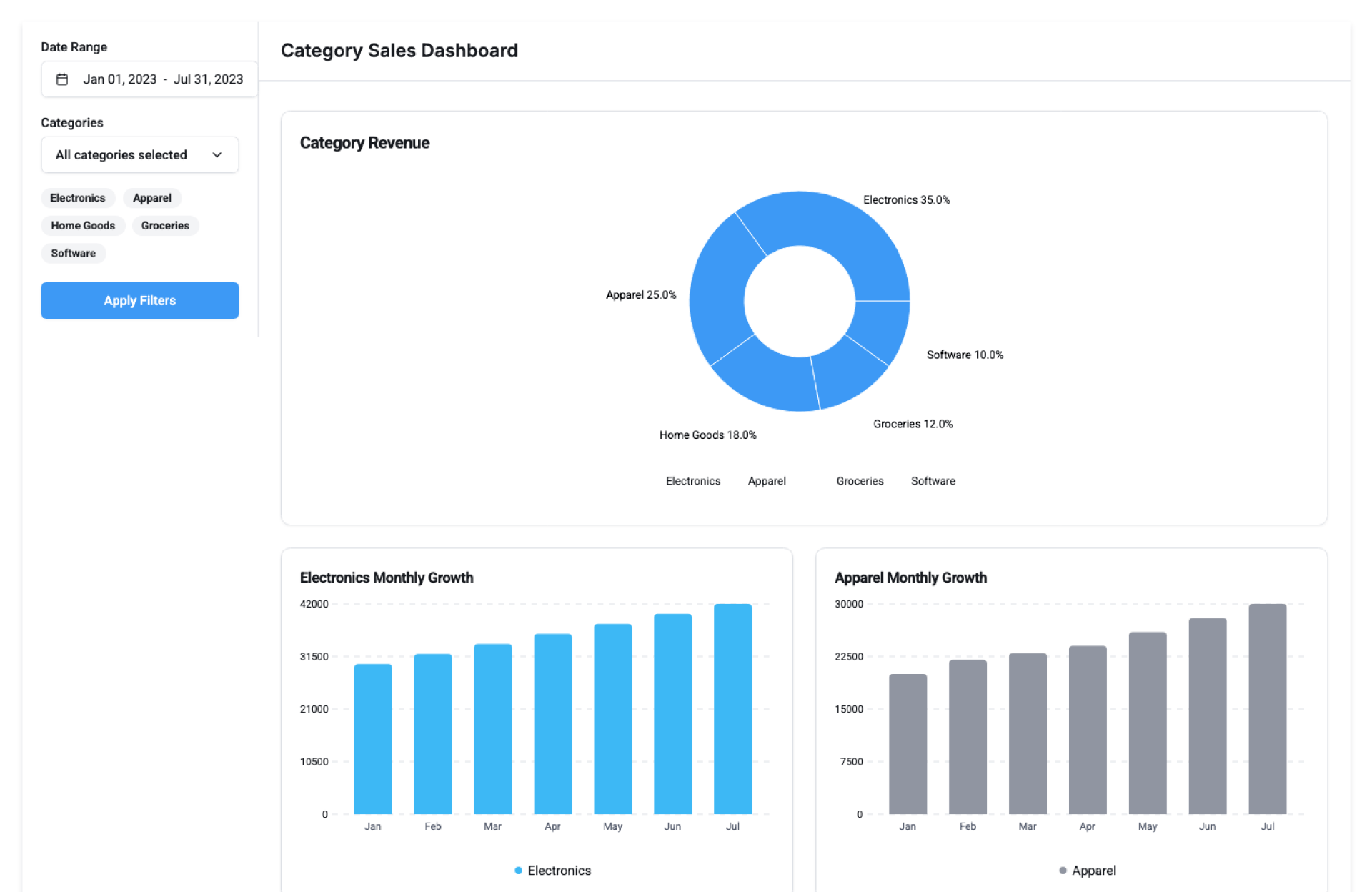
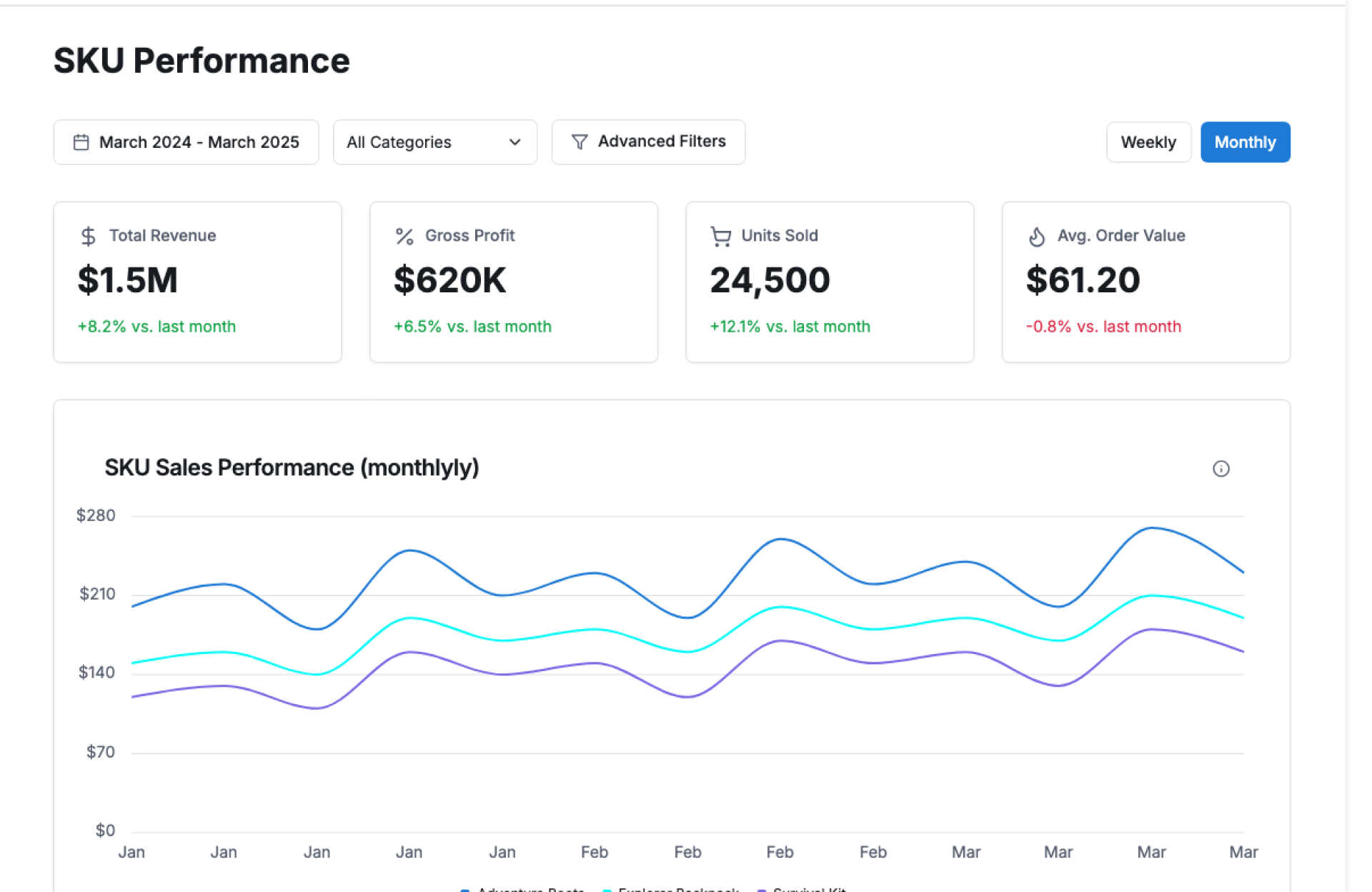
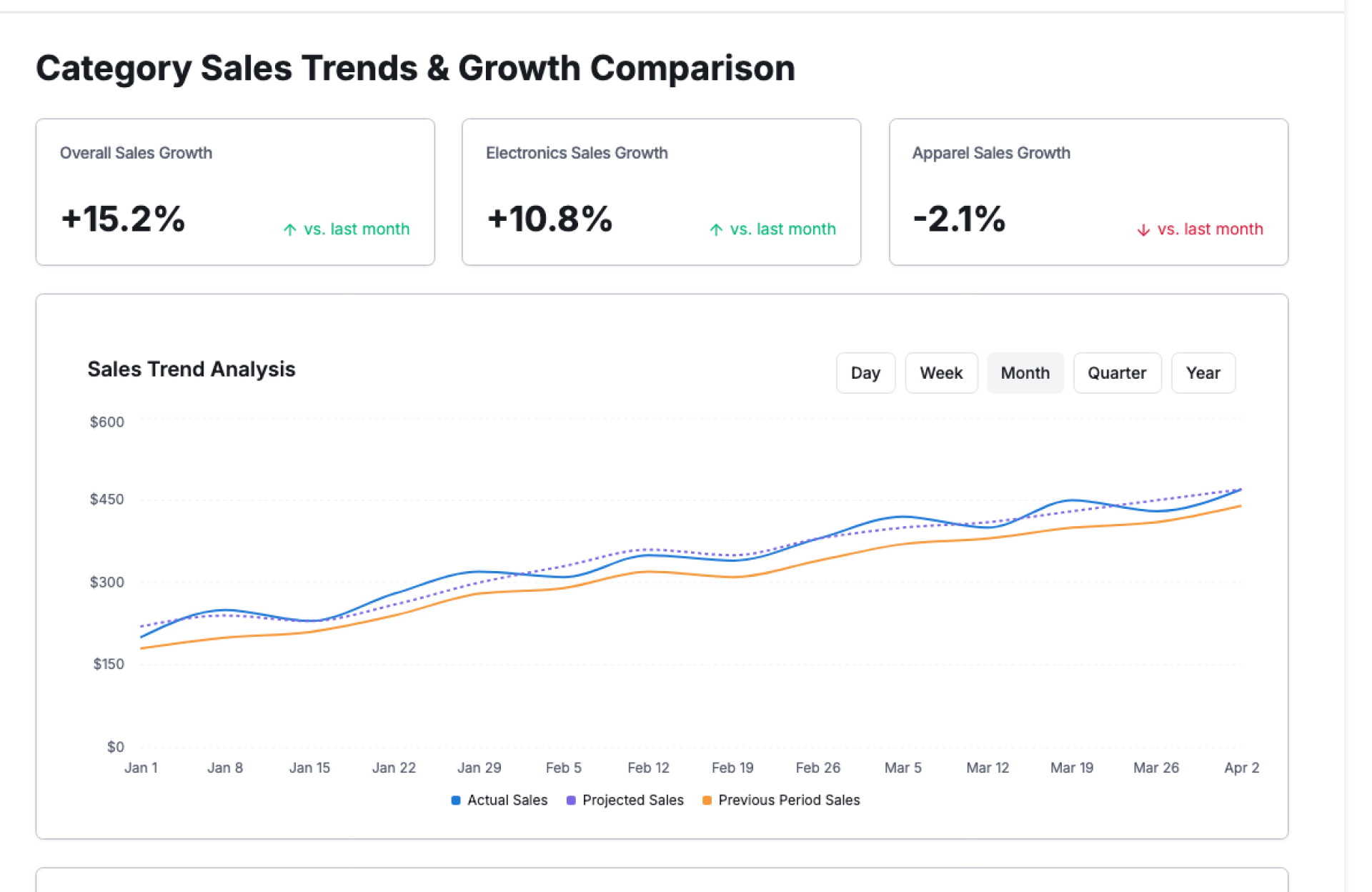
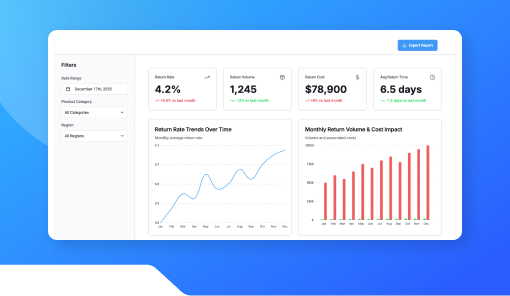
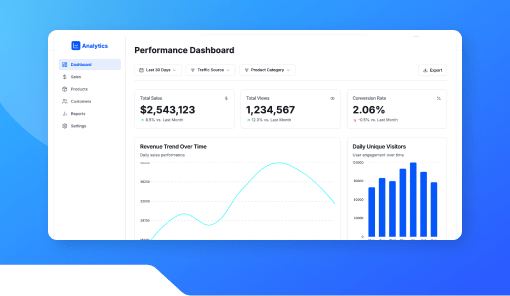
The Category Sales Dashboard by Kriatix gives businesses a clear, category-wise view of sales performance. It breaks down revenue, volume, and trends by product category helping teams understand what’s selling, what’s slowing down, and where to focus next.
Built for fast insight, it turns raw sales data into clear direction.
🔹 Start Free Trial
🔹 Book a Demo
🔹 Request Pricing
What Is the Category Sales Dashboard?
The Category Sales Dashboard is a ready-to-use analytics view that organizes sales data by product category. It highlights category-wise revenue contribution, sales volume, growth trends, and comparisons making it easy to evaluate performance without digging through reports.
It works across e-commerce, retail, and multi-category product businesses.
Who Is It For?
| Role | How They Benefit |
|---|---|
| Sales Teams | Identify top-performing categories |
| Business Teams | Understand revenue distribution |
| Product Teams | Track category demand and growth |
| Marketing Teams | Align campaigns with high-impact categories |
| Founders & CXOs | Make data-backed portfolio decisions |
Key Features
- Category-wise sales breakdown
- Revenue and volume visibility
- Growth and decline trend indicators
- Period-wise comparison (daily, weekly, monthly)
- Category contribution analysis
- Visual charts and summaries
- Role-based access and controls
Benefits
- Quickly spot high- and low-performing categories
- Improve product and inventory planning
- Align marketing spend with demand
- Reduce guesswork in portfolio decisions
- Share insights easily across teams
- Scale analytics without complex setup
How It Works
- Ingest Sales Data – Pull sales transactions
- Group by Category – Organize data by product category
- Visualize Performance – View charts and summaries
- Compare Time Periods – Track growth or decline
- Act on Insights – Adjust strategy and focus areas
Add-ons & Integrations
- Simple Demand Trend Chart
- Inventory Update Dashboard
- Stock Availability Checker
- Sales Analytics Dashboard
- CRM & ERP integrations
Deployment & Access
- Web-based dashboard access
- Cloud-hosted or on-premise deployment
- Secure sales data handling
- Enterprise-grade access controls
What Our Partners Are Saying

"Company AI-powered interfaces have been praised for their usability ,Through exhaustive research and advanced automation, Kriatix made the application fluid, accessible, and future-ready for all users. The team adapted quickly to deliver complex AI-driven tasks and independently developed creative, detailed solutions. Their AI chatbot services stood out in particular — seamlessly integrating conversational AI that enhanced user engagement and streamlined support."
Amit Kumar
Co-Founder, Venture Transform Strategy Consulting LLP

"Kriatix.ai delivered the AI-powered application on time, leveraging Agile methodology to ensure flexibility and efficiency. The team conducted bi-weekly demos, keeping the project transparent and aligned with our goals. Using Jira, GitHub, and Slack, they maintained flawless communication and streamlined project management.Their integration of AI chatbots for real-time feedback loops accelerated our release cycle by nearly 25% and reduced manual validation efforts by 40%, resulting in a smoother, faster, and higher-quality delivery."
Sumit Kumar
CEO, HImalayan Basket Private Limiteds

"The AI-powered website delivered by Kriatix.ai is both visually appealing and high-performing they built a website that not only impressed us with its sleek design but also outperformed our expectations in speed and functionality. Their team worked as true partners—creative, experienced, and highly attentive to every detail.By integrating AI personalization and intelligent chatbots, the website now adapts to user behavior in real time, leading to a 35% increase in engagement and a 25% reduction in support queries."
Sneha Das
CEO, Ittisa

"Kriatix.ai completed the deliverables with excellence, often going the extra mile by suggesting AI-driven alternatives to our change requests. The workflow was seamless, with the team being timely and proactive in addressing every issue. They set realistic expectations, built intelligent automation into our processes, and delivered results with superb quality.Their AI chatbot integration not only streamlined support but also improved responsiveness, ensuring our users always received accurate and instant assistance."
Gururaj Mahale
Director of Growth Marketing, SYNERGOS
Frequently Asked Questions
Can categories be customized based on business needs?
Yes. Categories can be aligned to your product structure.
Does it support time-based comparisons?
Yes. Sales can be compared across different periods.
Can multiple categories be viewed at once?
Yes. All categories are visible with clear breakdowns.
Is the dashboard suitable for non-technical users?
Yes. It’s designed to be simple and easy to interpret.
Is sales data secure?
Yes. Enterprise-grade security and access controls are applied.
Ready to Automate Smarter with Kriatix?
Build next-gen, AI-powered apps and workflows—faster, smarter, and tailored to your industry.
Get StartedRelated Products